


PhotoLesa's photography gear provided by:







Below lie all the books I've penned to date. These books are all conversational yet to the point, and they are completely devoid of technical jargon. I also explain the "why" behind the "how" of all techniques. The Missing Manuals, published by O'Reilly Media, are available in print or ebook versions. The Skinny Book series are ebooks only though they're available in several formats.
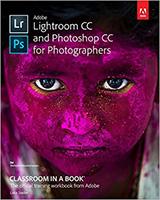 |
Adobe Lightroom CC and Photoshop CC for Photographers: Classroom in a BookLightroom CC and Photoshop CC are the dream team of image editors. This book teaches you exactly how each program works and when to use each program to save time. You'll learn everything you need to know to get fully up to speed on organizing, editing, and outputting photos in Lightroom and Photoshop, and how to pass files to and fro between the programs at the highest possible quality. If you've been using the programs for a while, you'll pick up a ton of practical and useful techniques. All the exercise files are included, too! Available in print and eBook formats. |
|
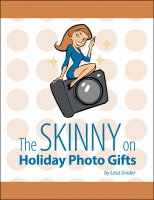 |
The Skinny on Holiday Photo GiftsHoliday photo projects are incredibly fun to make and folks love getting them. In this book you’ll learn how to create unique projects such as Pillows, Tote bags, Purses, Magnets & stickers, Canvas prints, Skins for laptops and portable devices, Postage stamps, Mugs, Keychains, Playing cards, Tree ornaments, Dry-erase calendars, Notepads, and Wine and beer bottle labels. You’ll also learn how to create spectacular cards and personalized calendars in Apple’s Photos for Mac and iPhoto. Then, you’ll learn step-by-step instructions for creating unique, do-it-yourself projects such as photo napkin rings, photo gift tags and wooden photo cubes. Along the way, you’ll also learn many valuable tips for improving the overall look of your projects, including: adjusting the color of your photos so they harmonize together, how to save your files for successful printing, the best ways to add text to photos, how to remove color from parts of your photo, and unusually impressive card designs. |
|
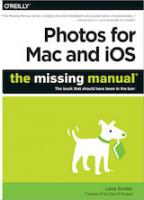 |
Photos for Mac and iOS: The Missing ManualWhether you’re on a Mac or iOS device, Apple’s new Photos app makes it easy to transfer photos from a digital camera, organize them, edit them, and publish, print, or share them. But, alas, there’s no printed manual for the program. That’s where this comprehensive, witty, and objective book comes in. Here's an excerpt from the foreword by David Pogue: "Fortunately, you have the world’s best instruction book in your hands. It’s in color; it’s loaded with important tips, tricks, and details; and it’s written by Lesa Snider. If anyone embodies that very, very precise intersection of photography, software, Macs, Missing Manual books, and command of plain English, it’s Lesa." |
|
 |
The Skinny on Shooting for Royalty-Free StockYou can make money shooting stock photography, especially the super affordable royalty-free "microstock". However, many great photographers are jumping on the bandwagon, so competition is stiff. In this book, iStockphoto's former chief evangelist shares her insider tips for a successful career shooting microstock. Learn what kind of photos sell, five shoot ideas guaranteed to produce results, processing tips for Lightroom and Photoshop’s Camera Raw, how to describe and keyword images so they’ll be found, how to save and submit your files, and more. Photoshop User’s 5-star review said: “This is truly a textbook on how and what to shoot to make money in the microstock photo market.” |
|
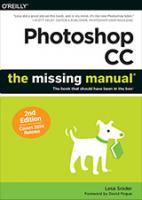 |
Photoshop CC: The Missing Manual, 2nd editionHappily, my newest book hits bookstore shelves on August 25th… my birthday! This is the most perfect one yet :) |
|
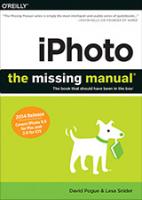 |
iPhoto: The Missing Manual: 2014 releaseThis new edition covers iPhoto 9.5 for Mac and iPhoto 2.0 for iOS. Whether you’re on a Mac or iOS device, iPhoto now makes it easier than ever to organize, edit, publish, print, and share your photos—but neither version of the program offers a manual to help you get going. Fortunately, David Pogue and Lesa Snider offer a clear and objective guide to iPhoto in this witty, authoritative book. |
|
 |
The Skinny on Taking Better Pictures with Any CameraMost of us feel great pleasure from taking pictures, and our pleasure is dramatically enhanced when we’re proud of the shots! Whether you have a tiny point-and-shoot, or a big honkin’ digital SLR, your pictures will dramatically improve by keeping in mind the eight universal tips and techniques in this brief, illustrated book. |
|
 |
The Skinny on Photoshop Elements 12The most practical guide for Elements 12 on the planet! Learn the differences between Photoshop and Photoshop Elements, and practical techniques such as replacing backgrounds, cropping & resizing without losing important objects, removing blemishes & objects, correcting colors, lightening teeth & eyes, moving & cloning objects, colorizing black-and-white images, converting color to black-and-white, stitching a panorama, adding a dark edge vignette, placing text behind an object & placing a photo inside text, adding creative edges, intelligent sharpening & more! |
|
 |
The Skinny on Photoshop Lightroom 5You’ll learn all the essential techniques to get the most value from Lightroom, quickly. Part 1 provides an overview of what Lightroom is and isn’t, and how it compares to Photoshop. Then we dive into the structure of the program, so you’ll know how to set up your Lightroom world, and where to find its various parts. In Part 2, you’ll learn how to edit your photos like a pro, including enhancing specific areas and applying creative effects. |
|
 |
The Skinny on Photoshop TipsThe Skinny Books are short, yet comprehensive books that are finely focused on a single subject. The Skinny on Photoshop Tips is a collection of more than 150 incredibly practical and useful tips that cover multiple versions of Photoshop. |
|
 |
Photoshop CC: The Missing ManualPhotoshop CC is truly amazing, but it can also be overwhelming if you're just getting started. This book makes learning Photoshop as easy as possible by explaining things in a friendly, conversational style—without technical jargon. After a thorough introduction to the program, you'll delve deep into Photoshop's secrets with expert tips and practical editing advice you can use every day. |
|
 |
Photoshop CS6: The Missing ManualPhotoshop CS6 is truly amazing, but it can also be overwhelming if you’re just getting started. This book makes learning Photoshop a breeze by explaining things in a friendly, conversational style—without technical jargon. After a thorough introduction to the program, you’ll delve deep into Photoshop’s secrets with expert tips and practical advice you can use every day. |
|
 |
iPhoto '11: The Missing ManualWith better ways to get your photos online and new options for creating printed projects, iPhoto '11 makes it easier than ever to transfer photos from a digital camera, organize them, and publish, print, or share them in maps—but there's still no printed manual for the program. Fortunately, David Pogue and Lesa Snider team up in this witty, authoritative book that should have been in the box. |
|
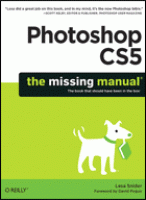 |
Photoshop CS5: The Missing ManualYou'd be hard-pressed to find a published image that hasn't spent some quality time in Adobe Photoshop. With new features such as Content-Aware Fill and Puppet Warp, Photoshop CS5 is more amazing -- and perhaps more bewildering -- than ever. That's where this full-color Missing Manual comes in. It covers Photoshop from a practical standpoint, with tips, tricks, and practical advice you can use every day to edit photos and create beautiful documents. |
|
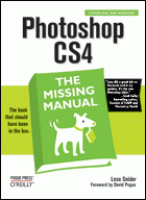 |
Photoshop CS4: The Missing ManualPhotoshop is the world's most widely used photo-editing and graphics program. But with all its fantastic new features and options, the CS4 version can bewilder even the most seasoned professional. That's where Photoshop CS4: The Missing Manual comes in: packed with tips, tricks, and lots of practical advice, this visually rich four-color guidebook teaches you everything you need to know to edit photos and create beautiful documents in Photoshop. |



PhotoLesa's photography gear provided by:
 ©Copyright 2004-2024 Lesa Snider