 Digital Beauty Shop
 |
 Portrait Popper
 |
 Placing Text Behind an Object
 |
 Easy Embellishments
 |
 A Stroll Down Blend Mode Lane, Pt. 1
 |
 Fall Digital Scrapbooking Fun, Part 2
 |
|
Photoshop CS2 Survival Guide |
 Selecting Frizzy Hair
 |
 Turning New into Old
 |
 Hollow Text
 |
 Digital Beauty Shop
 |
 Post Selective Focus
 |
|
How to Fix Animal White-Eye, Part 2 |
 Combine Images Creatively in Photoshop
 |
 Super Sparkles
 |
 Printing color separations in Photoshop
 |
|
Super Funky Edges |
 Fall Digital Scrapbooking Fun, Part 1
 |
|
Fabulous Feathers |
Managing Photos with Bridge CS4, Part 2 |
|
Fabulous Feathers, Pt. 2 |
 Combining Images
 |
 How to Create Your Very Own Warp Trail
 |
 Replacing Backgrounds with Photoshop's Background Eraser
 |
 Photoshopping People
 |
Say hello to advanced red-eye and retouching tools |
|
QuickTip: preparing t-shirt artwork in Illustrator |
 Ornamental Vector Grunge Frame
 |
 Photo-Type
 |
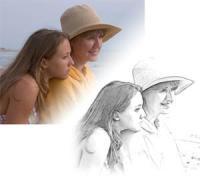
 From Photo to Pencil Sketch
 |
 Fall Painterly Effect
 |
Fast uploading |
|
Soft Edges |
 Shallow depth of field
 |
 Fall Leaf Photo Frame
 |
 Gettin' Grungy With It
 |
 A Stroll Down Blend Mode Lane, Pt. 2
 |
 Easy Clipping Groups
 |
|
The Beginner's Guide to Image Editing, Pt. 3 |
The Beginner's Guide to Image Editing, Part 2 |
 Goin' Grayscale
 |
 Type Tricks
 |
|
Playful Panoramas |
 The Skinny on Scanning
 |
 Paint it Blue
 |
 Creative Combinations, Pt. 1
 |
 A Stroll Down Blend Mode Lane, Pt. 3
 |
 Super Sparkling Eyes
 |
 Realistic Reflections
 |
 Softening Freckles
 |










 ©Copyright 2004-2026 Lesa Snider