Home
photolesa.com
The creative tutorial home of image wrangler, Lesa Snider.

lesa's blog

Photoshop CS6's Amazing Patch Tool

In this video, you'll learn how to use Photoshop's amazing Patch tool to remove an object. We'll take a look at how it worked in Photoshop CS5 versus using the new Content-Aware option in CS6. To watch it, give this link a click to visit the Layers Magazine web site: http://lesa.in/Sxd64a

Top O'Reilly ebooks on sale for 50% off

Happy Friday everyone!

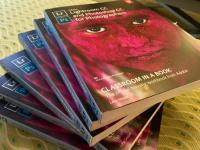
FYI, from August 9 through August 16, O'Reilly Media is having a 50% off sale on their top 20 best-reviewed ebooks. I'm thrilled to say this sale includes my latest book, Photoshop CS6: The Missing Manual. Please note this sale is for the ebook and not the print version. Click the following link to take advantage of this amazing deal: http://oreil.ly/Rr4viO. Have a creative weekend!

Using Levels in Photoshop and Photoshop Elements

To correct the lightness or brightness in your images, you can reach for a Levels adjustment. In this video you'll learn how to use Levels non-destructively, plus you'll learn how to use the Levels histogram and sliders to visually adjust the dark and light areas of your image to create greater contrast. Happily, this technique works exactly the same way in Photoshop Elements.

Sessions.edu interviews

For the past few years, I've taught an advanced Photoshop course at the international online graphic design school, Sessions.edu. Every once in awhile they interview their instructors for the Campus News Newsletter and this time it was my turn. Whee! You can click this link to give the interview a read: http://lesa.in/ODC69J

Recording of Photoshop CS6/Camera Raw 7 new features webinar

Happy Monday everybody!

Here lies a recording of the one-hour webcast on Photoshop CS6/Camera Raw 7 new features that I did a week or so ago for O'Reilly Media:

http://lesa.in/R5jMau
(linked updated on 9-21-12)

The recording of the webinar is completely free so I really hope you'll pass it around for others to enjoy. Until the next time, may the creative force be with you all :)

FREE Webinar: Photoshop CS6 Power Hour July 13

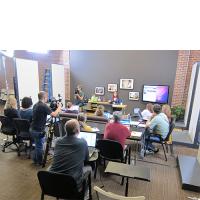
Join me Friday, July 13 at 10 am PT/ 1 pm ET and get up to speed on the new version of Photoshop of Camera Raw! In this entertaining yet informative webcast, you'll learn how to use:

CS6's new Content-Aware tools to scoot objects around in your images
How to use CS6's new blur filters
Adaptive Wide Angle filter
Oil Paint filters
Learn how to use layer filtering
Create dashed and dotted lines, and
Edit video

Create Stunning Black and White Images with Photoshop and Photoshop Elements

I'm proud to announce that this month I'm doing weekly videos for PlanetPhotoshop.com. Previously I contributed videos to PhotoshopUser.com to help out my overly-busy buddies Matt K. and Corey B. If you used to catch my videos over there, you can get the same practical technique video goodness over at Planet. This is actually a huge score for me as the Planet site isn't password protected, so I get to be in front of a slew of eyeballs (I'll also be uploading videos to my regular YouTube channel periodically, so don't miss those either!).

Final push to update Photoshop book happening now!

Howdy everyone! I'm back from teaching at Photoshop World in DC and have entered the final push to incorporate edit requests into my big Photoshop book update for the next version (currently referred to as Photoshop CS6 Beta). This new version of my bestselling book, Photoshop CS5: The Missing Manual, is going to be 21 chapters, and could be pushing 1000 pages in the print version. There will also be four additional appendices available online, along with a slew of exercise files so you can follow along with some of the techniques.

The Graphic Reporter becomes PhotoLesa

In the next few weeks, The Graphic Reporter will become Photo Lesa. Whee! It's a bit o'branding that I've needed to do for a while and it'll help more folks find me. Over the next few weeks you'll see some changes to this site as the transition becomes complete, along with an updating of the tutorial database (hooray!). If you have GraphicReporter.com bookmarked, it will redirect to PhotoLesa.com, though if you're the organized type go ahead and create a new bookmark.

How to achieve perfect inkjet prints

Over the last several months we’ve covered numerous tips for producing better prints, and it’s a lot of information to remember. This article presents a handy recap as well as a guided tour through the Print dialog boxes of popular software such as iPhoto, Photoshop Elements and Photoshop CS5—including tips for borderless printing.

Printing recap

Pages